Connect steps
It keeps generation, enhancement, control and export in one visible chain instead of scattering decisions across separate sessions.

Capability split
A RunningHub AI workflow turns separate prompts, models, inputs and outputs into one repeatable creative path. This guide explains where the workflow entry point is different, what it is built to do, and how to start without overcomplicating the first pass.
Open the workflow canvasThe general RunningHub AI canvas is useful when you want to explore broadly. The workflow entry point is for a defined chain: bring in an asset, transform it through selected steps, and keep the structure available for the next run. If you are comparing available engines first, use the model catalog before choosing the path.
It keeps generation, enhancement, control and export in one visible chain instead of scattering decisions across separate sessions.
Once a useful sequence works, you can return to its structure and swap the creative inputs without rebuilding every choice.
Each stage makes the result easier to inspect, so you can identify whether the issue came from the prompt, source asset or selected model.
Start small. RunningHub AI is easier to learn when the first workflow has one clear input, one meaningful transformation and one final output. Add complexity only when the current result tells you what is missing.
Begin with a prompt, image, reference frame or product asset that clearly describes the intended direction.
Choose the model or processing step that changes the source in a measurable way, then check the output before expanding.
Keep the arrangement that produced the strongest result and name it around the job it performs, not the experiment number.
Keep exploring
A workflow is most useful when the first path is easy to inspect and the next path is easy to repeat. A workflow becomes more useful when you understand the models available inside it. Browse the model options to match the chain to the kind of image, video or language task you want to complete.
Compare the available RunningHub AI models before you decide which stages belong in your next workflow.
One path, clearer output
The value is not simply having more tools. It is being able to carry the same creative intention from source to result while keeping the important decisions visible.

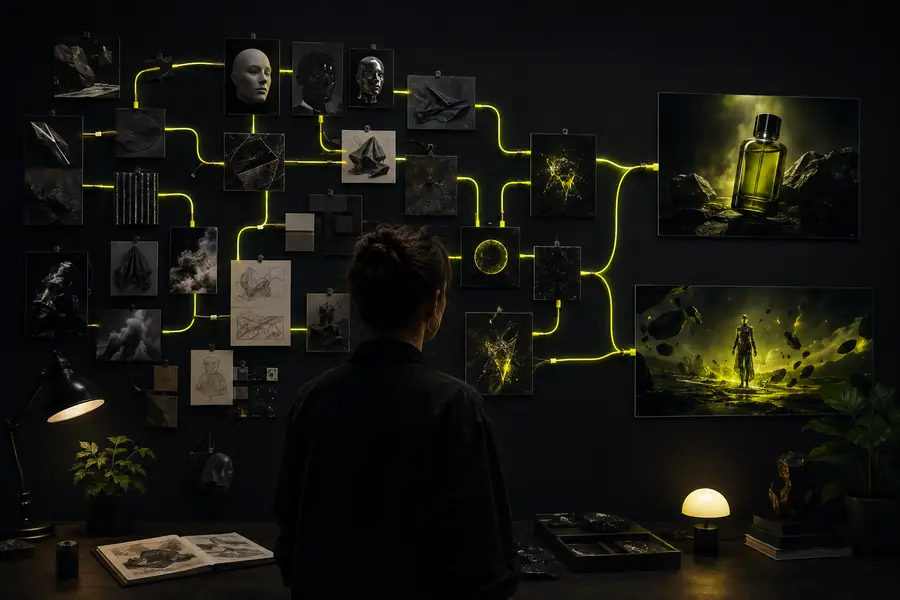
The visual difference comes from structure: the source, model choice and finishing step can be reviewed together rather than treated as unrelated generations.
Use it with clear expectations
RunningHub AI workflows make repeatable creative operations easier, but they do not remove every judgment call. These boundaries are useful because they show when to keep the chain simple or move back to open exploration.
A saved chain preserves instructions and connections, but generative outputs can still vary between runs.
Workaround: keep strong references and inspect each stage before publishing.
A workflow can organize creative stages, but it does not replace review, art direction or final quality control.
Workaround: add a human checkpoint after the most important transformation.
If you are still changing the concept, a structured chain may slow down discovery instead of helping it.
Workaround: explore freely first, then convert the winning direction into a workflow.
Choose the right entry point
| Attribute | Workflow entry point | General canvas |
|---|---|---|
| Primary purpose | Repeat a defined creative process | Explore a broad creative direction |
| Connected stages | Yes — arranged as one visible chain | Usually assembled as separate actions |
| Reusable structure | Yes — save the useful arrangement | Less focused on repeatable structure |
| Best starting input | A known asset, prompt or production goal | An open-ended idea or experiment |
| Debugging visibility | Inspect each stage independently | Trace decisions across separate attempts |
| Learning curve | Moderate once the goal is defined | Lower for a single quick generation |
Where a workflow earns its place
Turn one product asset into several campaign directions while keeping the source treatment and finishing choices easy to revisit.
Create a product pathTest a repeatable motion language across scenes instead of reinventing camera, style and enhancement choices for every clip.
Build a motion chainCreate a visual system from a strong reference, then carry its treatment through variants, layouts and final image passes.
Shape a design workflowDocument how models and assets are connected so collaborators can understand the process before they modify or extend it.
Start a shared pipelineIt is used to connect repeatable creative stages, such as preparing an input, generating a variation, enhancing the result and exporting an output.
No. Start with one source and one transformation. A small RunningHub AI workflow is easier to understand, test and improve than a large chain built before you know what the result needs.
You can revise the stages when the task changes, but the output may also change with the model. Treat a model swap as a new test and compare it against the result you were trying to preserve.