Comparison guide

RunningHub AI vs ComfyUI cost: which setup fits?

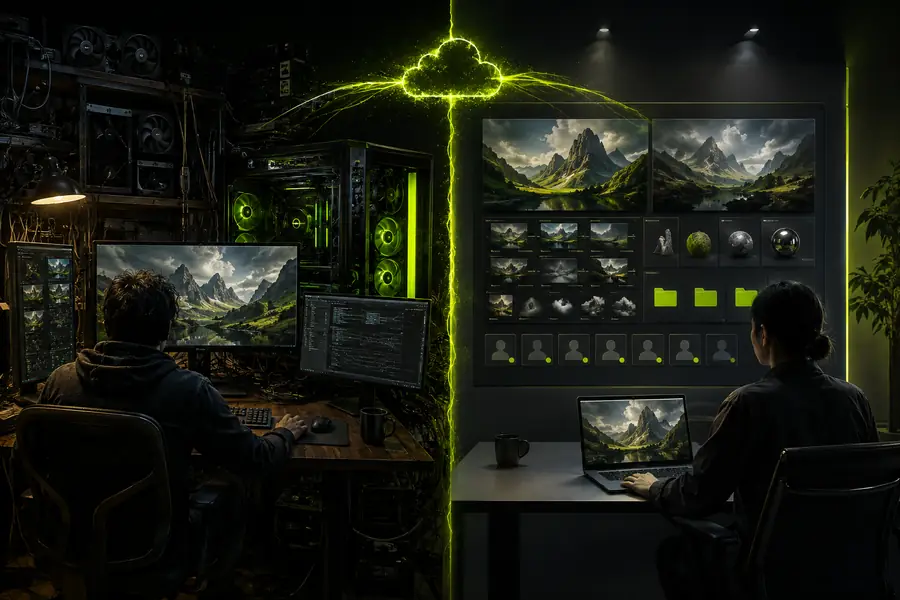
Comparing RunningHub AI vs ComfyUI cost means looking beyond a sticker number. RunningHub AI and ComfyUI can both produce strong images, but they place time, infrastructure, control, and maintenance in different parts of the workflow.

RunningHub AI and ComfyUI cost comparison workspace

Managed creative start

Connected AI workflow with image generation nodes

Node-level flexibility

Quick verdict Cost is more than compute

RunningHub AI is usually the better value when creator time, setup speed, and repeatable access matter. ComfyUI can win at high volume when you already own the GPU knowledge and infrastructure to operate it efficiently.

The practical question is not “which tool is free?” It is “which cost do you want to carry?”

Verdict first

The cost comparison at a glance

This side-by-side view separates visible generation spend from the operational work around it. Neither route is automatically cheaper for every creator.

Attribute RunningHub AI ComfyUI
Up-front setup Managed canvas and ready workflows Install, configure, and assemble the environment
Compute visibility Simpler per-run planning GPU, storage, hosting, and electricity are yours to track
Maintenance Platform-managed model access You maintain nodes, versions, models, and dependencies
Creative control Fast controls with reusable workflows Deep node-level control and custom graph logic
Best cost shape Lower time cost for many teams and beginners Potentially efficient at volume with existing infrastructure
Main trade-off Less low-level infrastructure control More technical time before the first reliable result
  1. Define the output

    Decide whether you need a quick image, a repeatable campaign system, or a deeply custom graph.

  2. Count the hidden work

    Add model setup, troubleshooting, storage, render time, and the cost of learning each environment.

  3. Choose the repeatable path

    The cheaper first image is less important than the route that keeps producing usable results.

Dimension by dimension

What changes the real cost?

RunningHub AI makes the cost of starting easier to understand because the creative surface is already organized. With ComfyUI, the visible generation cost may look attractive, but the total can include hardware access, model downloads, graph maintenance, and time spent diagnosing a broken node.

Compute and volume

At occasional or moderate use, RunningHub AI can be easier to budget because you are paying for a defined creative action instead of maintaining capacity all day. ComfyUI becomes more compelling when a creator already has a capable GPU and can keep it busy.

Time and maintenance

RunningHub AI shifts more technical work away from the individual. ComfyUI rewards people who enjoy tuning models and graphs, but that flexibility carries a recurring time cost whenever a dependency, node, or workflow needs attention.

Control and reuse

ComfyUI offers finer control over individual stages. RunningHub AI is often faster for teams that want a known path from prompt to output, especially when a workflow needs to be shared rather than rebuilt on every machine.

Capability split

Who each setup suits best

The right answer depends on what your time is worth and how much control your work requires. These four profiles make the difference clearer than a simple “free versus paid” comparison.

The fast-moving image maker

If you need polished concepts, variations, and references without managing a local stack, RunningHub AI keeps attention on the image itself.

Explore image generation

The workflow-led creative team

For a small team producing recurring social, product, or campaign assets, shared RunningHub AI workflows reduce setup differences between collaborators.

Build a reusable workflow

The technical node builder

ComfyUI is a strong fit when custom graph logic, experimental nodes, local files, and infrastructure ownership are central to the work.

Review a runninghub alternative

The product or brand team

When non-technical teammates need to contribute, RunningHub AI can lower the handoff cost and make experiments easier to repeat.

Try the online route

Migration path

A practical migration path

You do not have to make a permanent choice on day one. A staged approach lets you learn where RunningHub AI saves time before deciding whether a local ComfyUI setup is worth the added control.

Stage Start with RunningHub AI Move toward ComfyUI when
1. Prove the idea Test prompts, references, and output direction quickly. You need a specific custom operation the managed path cannot expose.
2. Save the pattern Turn a successful sequence into a reusable workflow. Your graph requires local files, custom nodes, or unusual branching.
3. Compare throughput Measure output quality against time spent operating the tool. Owned hardware can run the same graph consistently at your volume.
4. Split the work Keep fast collaborative tasks in the shared workspace. Reserve local graphs for specialist experiments and infrastructure-heavy jobs.
5. Review the total Include creator hours, handoffs, and maintenance avoided. Include GPU ownership, power, storage, updates, and troubleshooting.

This approach makes the RunningHub AI versus ComfyUI decision evidence-based. Start where the work moves fastest, then introduce local control only when it creates a measurable advantage.

Start a comparison workflow

Honest trade-offs

Comparison FAQ

The short answers below focus on the questions people usually ask when comparing RunningHub AI with ComfyUI for image creation and repeatable workflows.

Not a full local replacement

RunningHub AI cannot provide every local-file, custom-node, or infrastructure-level option that ComfyUI exposes.

Workaround: keep specialist graphs local and use the managed canvas for shared production work.

Not automatically cheaper at extreme volume

If you already operate efficient hardware, ComfyUI may have a lower marginal compute cost for a heavily used graph.

Workaround: compare total throughput, not only the cost of one render.

Less room for low-level tinkering

RunningHub AI favors a focused creative path, so advanced users may miss the granular graph inspection available in ComfyUI.

Workaround: use the route that matches the part of the process you actually need to control.

Is RunningHub AI cheaper than ComfyUI?

It can be cheaper in total effort when you value fast setup, managed access, and shared workflows. ComfyUI can be cheaper per output when hardware and technical maintenance are already part of your operation.

Is ComfyUI free to use?

The software itself may be available without a license fee, but using it still involves compute, storage, setup, updates, and the time required to operate the workflow.

Which option is easier for beginners?

RunningHub AI is generally the easier starting point because the creative surface reduces infrastructure decisions. ComfyUI is better suited to beginners who specifically want to learn node-based image systems.

Can RunningHub AI replace ComfyUI?

For many prompt-led and workflow-led projects, yes. It is not a universal replacement for local graphs that depend on custom nodes, private files, or hardware-specific control.

Which is better for a private local workflow?

ComfyUI is usually the more direct fit when local storage and local execution are the priority. RunningHub AI is stronger when collaboration, speed, and managed access matter more than owning every layer of the stack.